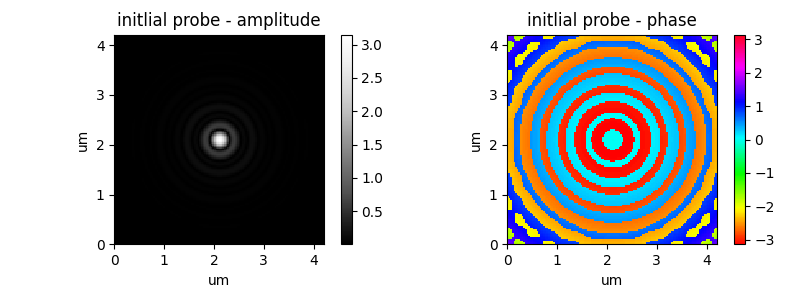
setting the initial probe#
Starting a ptychography reconstruction with a good or bad initial estimate of the probe(s) can change the convergence speed of the reconstruction or even influence if the reconstruction converges at all or fails. The closer the initial estimate is to the real probing wavefront on the sample, the better. Hence it is important to know what kind of beam is expected on the sample.
What size?
What shape?
What phase profile?
Having knowledge about the optics used to focus the beam, their parameters and what kind of focus they create and where the sample was roughly positioned with respect to the focus are important things to consider when choosing how to initialize the probe estimate(s) for a ptychographic reconstruction. This true for all reconstruction algorithms (engines).
ptypy allows to initialize the probe estimate prior to the first iteration in various ways.
One way is simply using an arbitrary numpy array of the right size that the user build by whatever python capabilities she/he has.
Results from previous reconstructions can also be loaded.
The initial probe estimate can also be made from basic geometric shapes that can also be modified in various ways.
init by any numpy array#
If you know some numpy, you are able to create any probe estimate you like. Just create a three-dimensional array where the first dimension is simply as long as the number of probe modes (in the most simple case =1) and the other two dimensions match the size of the 2D probe array depending on the cropping and binning. Then give that array you created into the parameter tree as ‘illumination.model’.
import numpy as np
probe = np.zeros((1, 256,256), dtype=complex)
# make sure to init as as complex otherwise the imaginary part will be discarded
probe[0, 64:128, 64:128] = 1. * np.exp(1.j * -0.5 * np.pi)
probe[0, 128:192, 32:96] = 2. * np.exp(1.j * 0.5 * np.pi)

p.scans.scan00.illumination = u.Param()
p.scans.scan00.illumination.model = probe
# here we just give the numpy array we made above
p.scans.scan00.illumination.aperture = u.Param()
p.scans.scan00.illumination.aperture.form = 'rect'
# this aperture is not optional
p.scans.scan00.illumination.aperture.size = 10e-6
# either make it very large, or you will cut down the probe
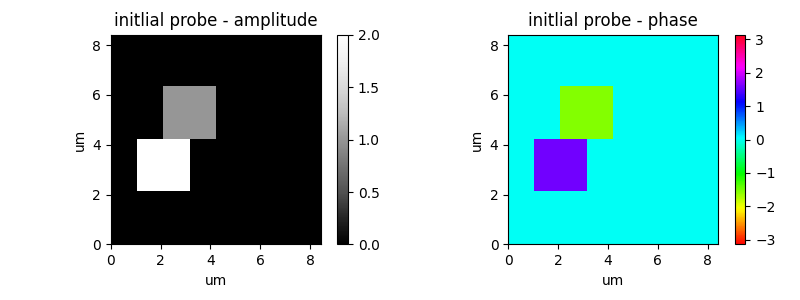
Warning: not defining the aperture, will still apply a default aperture (round and about a third of the array size) and this cut down the probe you made. So define a large enough aperture.
import numpy as np
probe = np.zeros((1, 256,256), dtype=complex)
probe[0, 64:128, 64:128] = 1. * np.exp(1.j * -0.5 * np.pi)
probe[0, 128:192, 32:96] = 2. * np.exp(1.j * 0.5 * np.pi)

p.scans.scan00.illumination = u.Param()
p.scans.scan00.illumination.model = probe
p.scans.scan00.illumination.aperture = u.Param()
init by loading a previous reconstructions#
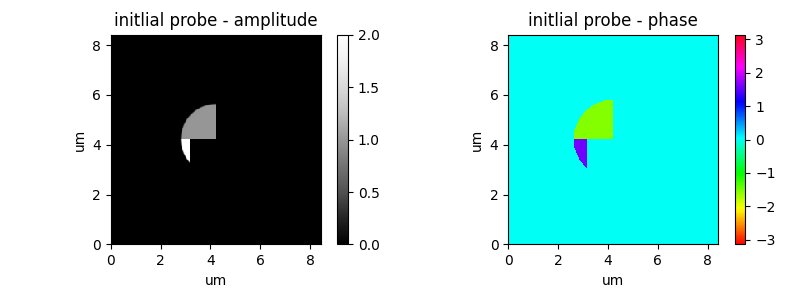
By setting ‘illumination.model’ to ‘recon’ one can load the probe of a previous reconstruction by giving the the relative or absolute file path of a previous reconstruction (the .ptyr file).
p.scans.scan00.illumination = u.Param()
p.scans.scan00.illumination.model = 'recon'
p.scans.scan00.illumination.recon = u.Param()
p.scans.scan00.illumination.recon.rfile = '/data/<example>/rec_24_ML_1000.ptyr'
p.scans.scan00.illumination.aperture = u.Param()
p.scans.scan00.illumination.aperture.form = 'rect'
# same thing with the needed aperture
p.scans.scan00.illumination.aperture.size = 10e-6
//: # ( )
)
Warning: When loading a probe from a previous reconstruction, things like pixel size, photon energy ect are all ignored. The probe is simply loaded as the numpy array and used that way, pixel by pixel. If the probe you load has fewer pixels than the probe your reconstruction calls for, the missing pixels will be padded on with 0. Likewise, the other way around, the too large input array will simply be cropped to the smaller size.
Again, if no aperture is defined, the default aperture (circle with a third of the array size as a diameter) is applied and might cut down the probe that you loaded.
init by geometric base shapes (illumination.aperture)#
Besides making a probe yourself or loading a previous reconstruction, it is also possible to define inital probe estimate(s) using simple geometric shapes with the ‘illumination.aperture’ parameter in the parameter tree.
illumination.aperture.size#
One important parameter is the size of the initial probe estimate. In ptypy this parameter is given in meters. Here an example for a 500nm sized probe.
p.scans.scan00.illumination = u.Param()
p.scans.scan00.illumination.model = None
p.scans.scan00.illumination.aperture = u.Param()
p.scans.scan00.illumination.aperture.size = 500e-9 # in meters
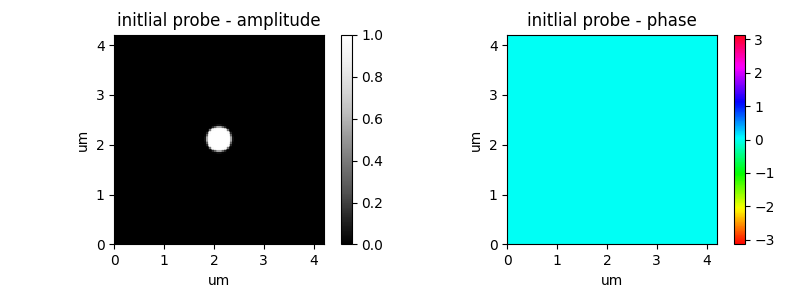
As expected, a larger value in ‘aperture.size’ will result in a larger probe estimate:
p.scans.scan00.illumination = u.Param()
p.scans.scan00.illumination.model = None
p.scans.scan00.illumination.aperture = u.Param()
p.scans.scan00.illumination.aperture.size = 2000e-9 # in meters
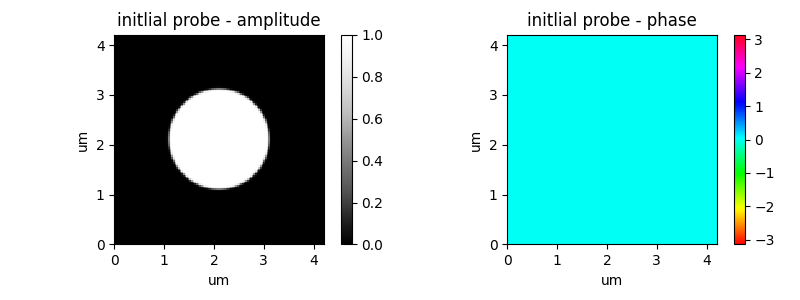
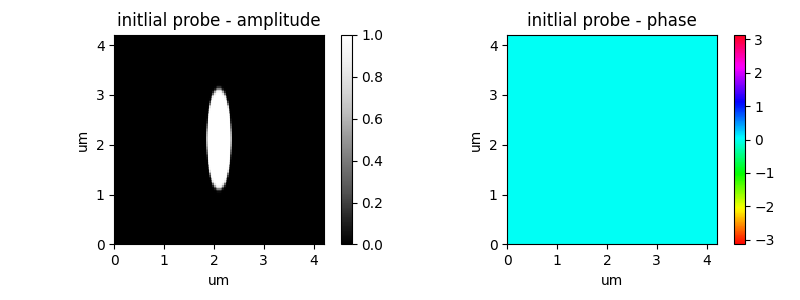
When giving a two-element list/tuple the two values are applied to the vertical and horizontal (python like, y before x) direction respectively. This allows to create asymmetric probes:
p.scans.scan00.illumination = u.Param()
p.scans.scan00.illumination.model = None
p.scans.scan00.illumination.aperture = u.Param()
p.scans.scan00.illumination.aperture.size = (2000e-9, 500e-9)
# python like y first, then x
illumination.aperture.form#
Of course the shape can also be changed. This can be achieved by changing the ‘aperture.form’ parameter. As we have seen in the previous example, a simple circle is the default setting:
p.scans.scan00.illumination = u.Param()
p.scans.scan00.illumination.model = None
p.scans.scan00.illumination.aperture = u.Param()
p.scans.scan00.illumination.aperture.form = 'circ' # default
p.scans.scan00.illumination.aperture.size = 2000e-9
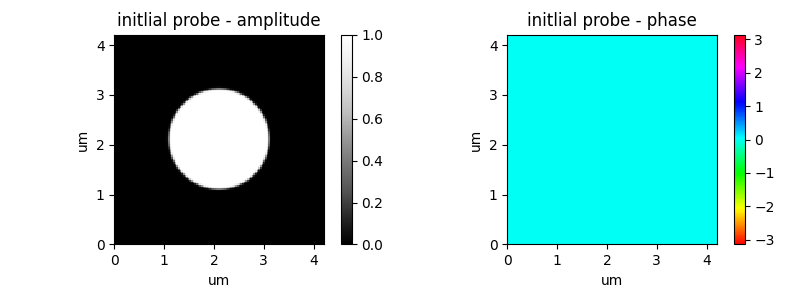
The other option is ‘rect’ for rectangle. This can of course also be used to create squares:
p.scans.scan00.illumination = u.Param()
p.scans.scan00.illumination.model = None
p.scans.scan00.illumination.aperture = u.Param()
p.scans.scan00.illumination.aperture.form = 'rect'
p.scans.scan00.illumination.aperture.size = 2000e-9
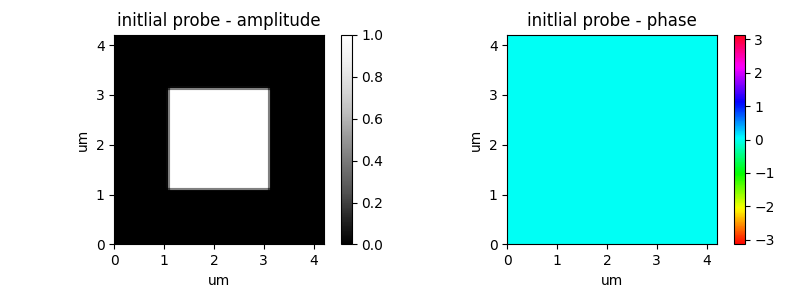
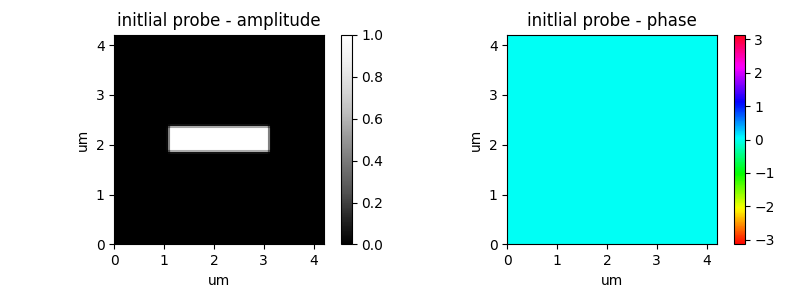
But it can also be used for rectangles when giving two different numbers on the ‘aperture.size’ parameter.
p.scans.scan00.illumination = u.Param()
p.scans.scan00.illumination.model = None
p.scans.scan00.illumination.aperture = u.Param()
p.scans.scan00.illumination.aperture.form = 'rect'
p.scans.scan00.illumination.aperture.size = (500e-9, 2000e-9)
illumination.aperture.rotate#
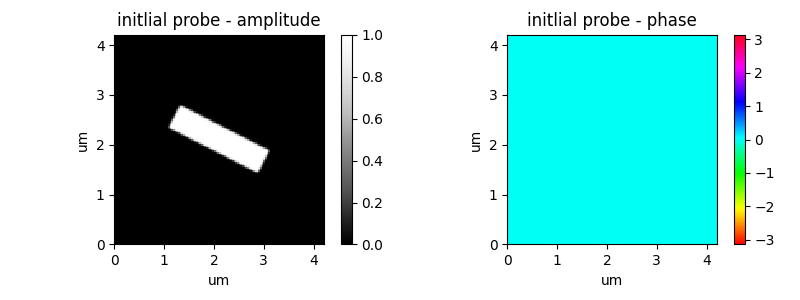
Any probe estimate created from a basic aperture can also be rotated. The rotation is set via ‘aperture.rotate’ and is given in radians.
p.scans.scan00.illumination = u.Param()
p.scans.scan00.illumination.model = None
p.scans.scan00.illumination.aperture = u.Param()
p.scans.scan00.illumination.aperture.form = 'rect'
p.scans.scan00.illumination.aperture.size = (500e-9, 2000e-9)
p.scans.scan00.illumination.aperture.rotate = 0.15 * 3.1415 # angle in radians
illumination.aperture.central_stop#
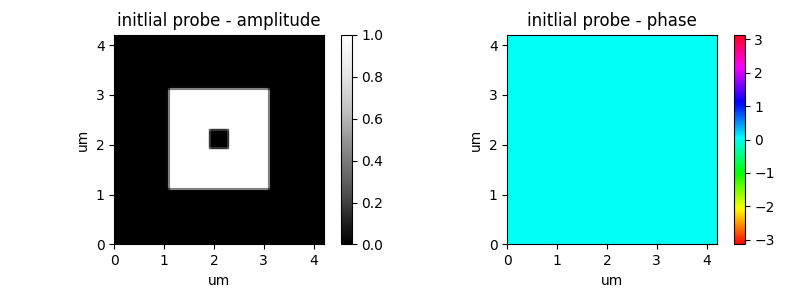
To account for illuminations from Fresnel zone plates, it is also possible to add a central stop. Basically an aperture inside the aperture. It has the same shape as the defined aperture. Only its size can be defined as a relative fraction of the aperture size. This way one can cut out a center bit of the created aperture:
p.scans.scan00.illumination = u.Param()
p.scans.scan00.illumination.model = None
p.scans.scan00.illumination.aperture = u.Param()
p.scans.scan00.illumination.aperture.form = 'rect'
p.scans.scan00.illumination.aperture.size = 2000e-9
p.scans.scan00.illumination.aperture.central_stop = 0.20
# relative fraction of the aperture size
illumination.aperture.edge#
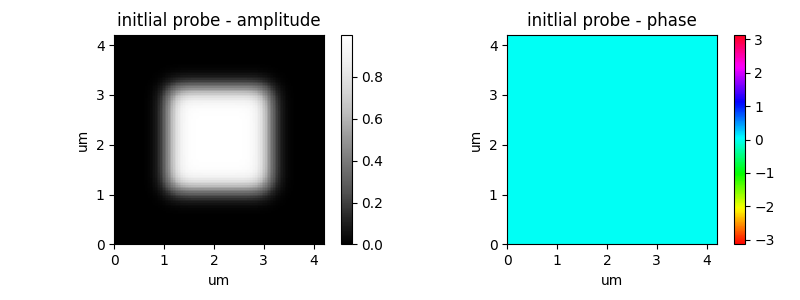
The edges of the probe estimates created via apertures can be softened. The extend of this soft edge is given in pixels in the ‘aperture.edge’ parameter. By default is set to 2 pixels. Larger values can be used to make large fuzzy edges:
p.scans.scan00.illumination = u.Param()
p.scans.scan00.illumination.model = None
p.scans.scan00.illumination.aperture = u.Param()
p.scans.scan00.illumination.aperture.form = 'rect'
p.scans.scan00.illumination.aperture.size = 2000e-9
p.scans.scan00.illumination.aperture.edge = 20 # in pixels
illumination.aperture.offset#
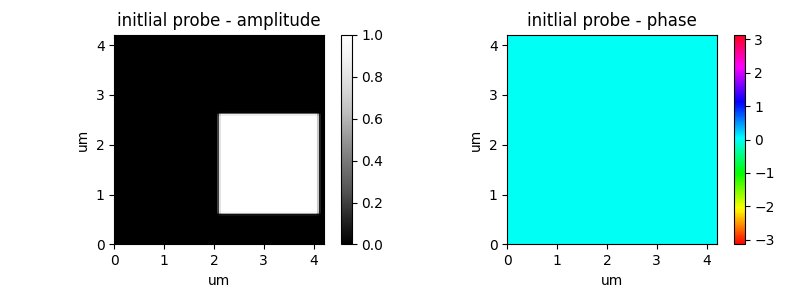
So far all examples have been centered in the probe array. It is also possible to put place the aperture somewhere else using the ‘aperture.offset’ parameter. It is also given as a tuple (y-offset, x-offset) in meters:
p.scans.scan00.illumination = u.Param()
p.scans.scan00.illumination.model = None
p.scans.scan00.illumination.aperture = u.Param()
p.scans.scan00.illumination.aperture.form = 'rect'
p.scans.scan00.illumination.aperture.size = 2000e-9
p.scans.scan00.illumination.aperture.offset = (500e-9, 1000e-9) # in m
illumination.aperture.diffuser#
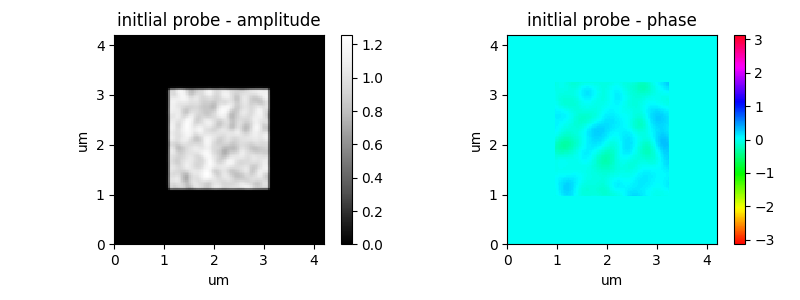
Up to now all probe estimates created using apertures show a flat amplitude profile and flat phase profile. The ‘aperture.diffusor’ allows to add noise to either the amplitude profile, phase profile or both. By default it is set to None, which creates these flat profiles
The ‘aperture.diffusor’ is a tuple. Defining a tuple with two elements allows to define a variation of (only) the phase profile. The first number is the amplitude (rms) of the phase variants in radians and the second parameter is the minimum feature size in pixels:
p.scans.scan00.illumination = u.Param()
p.scans.scan00.illumination.model = None
p.scans.scan00.illumination.aperture = u.Param()
p.scans.scan00.illumination.aperture.form = 'rect'
p.scans.scan00.illumination.aperture.size = 2000e-9
p.scans.scan00.illumination.aperture.diffuser = (0.5 * 3.1415, 5)
# noise in phase (amplitude (rms), minimum feature size) in radian
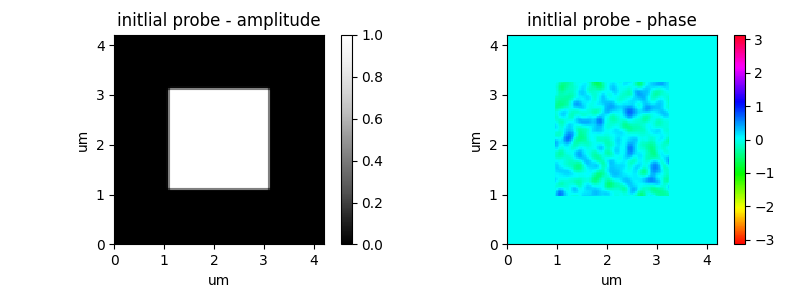
Larger amplitudes of the phase profile variation will create larger differences between the mountains and the valleys in the phase profile. The minimum feature size defines the extend of the noise spots created:
p.scans.scan00.illumination = u.Param()
p.scans.scan00.illumination.model = None
p.scans.scan00.illumination.aperture = u.Param()
p.scans.scan00.illumination.aperture.form = 'rect'
p.scans.scan00.illumination.aperture.size = 2000e-9
p.scans.scan00.illumination.aperture.diffuser = (1 * 3.1415, 2)
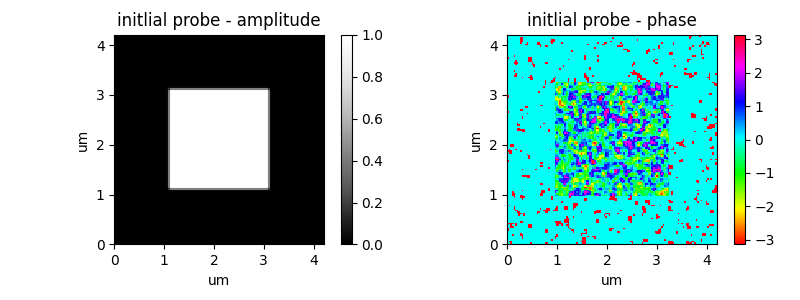
Giving the ‘aperture.diffusor’ two more entries allows to also add noise to the amplitude as well using the same syntax. Setting the first two entries to zero allows to vary the amplitude, but keeping a flat phase.
p.scans.scan00.illumination = u.Param()
p.scans.scan00.illumination.model = None
p.scans.scan00.illumination.aperture = u.Param()
p.scans.scan00.illumination.aperture.form = 'rect'
p.scans.scan00.illumination.aperture.size = 2000e-9
p.scans.scan00.illumination.aperture.diffuser = (0 * 3.1415, 0 , 0.7, 5)
# (zero) noise in phase and amplitude (rms_ph,mfs_ph,rms_mod)
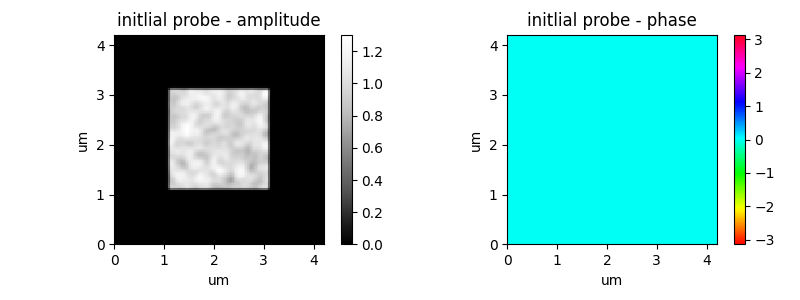
Of course noise can be added to both amplitude and phase separately with different strength and size.
p.scans.scan00.illumination = u.Param()
p.scans.scan00.illumination.model = None
p.scans.scan00.illumination.aperture = u.Param()
p.scans.scan00.illumination.aperture.form = 'rect'
p.scans.scan00.illumination.aperture.size = 2000e-9
p.scans.scan00.illumination.aperture.diffuser = (0.5 * 3.1415, 10 , 0.7, 5)
# (rms_ph,mfs_ph,rms_mod,mfs_mod)
propagation#
A very powerful feature is the capability to propagate a probe estimate. This works for probes given as numpy arrays, for loaded probes and also for probes defined as apertures. This feature allows to give the initial probe estimate the right phase curvature, to kick the reconstruction in the right way.
illumination.propagation.parallel#
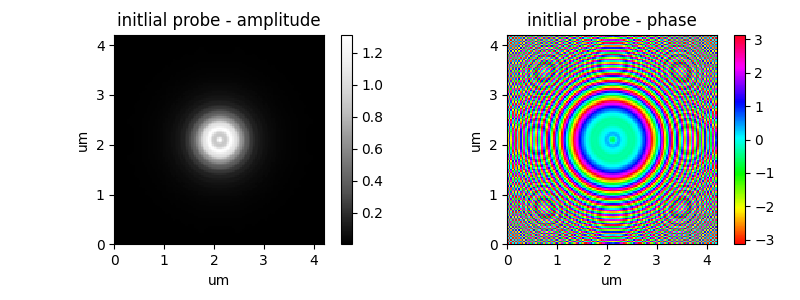
The first option to propagate is the the ‘parallel’ propagation. This nearfield propagataion is usful when describing the wavefront very close to the sample plane. In the following example a 1um pinhole is illumanted by a large flat (phase and amplitude) beam and placed 1mm upstream of the sample:
p.scans.scan00.illumination = u.Param()
p.scans.scan00.illumination.model = probe
p.scans.scan00.illumination.aperture = u.Param()
p.scans.scan00.illumination.aperture.form = 'circ'
p.scans.scan00.illumination.aperture.size = 1e-6
p.scans.scan00.illumination.propagation = u.Param()
p.scans.scan00.illumination.propagation.parallel = 1e-3
illumination.propagation.focussed#
The second option to propagate is the the ‘focussed’ propagation. This farfield propagataion is usful when describing the wavefront far away from the sample plane.
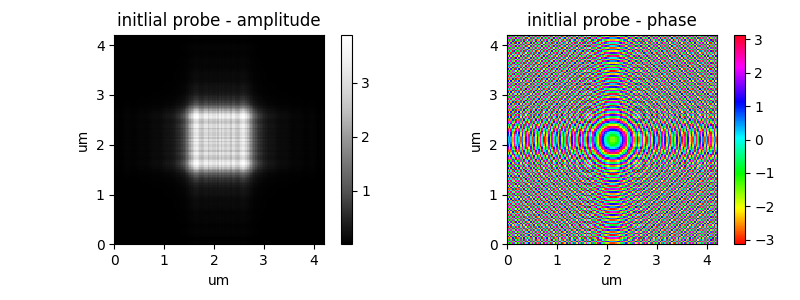
In the following example a pair of KB mirrors is illumanted by a large flat (phase and amplitude) beam. The mirrors have an idential NA (aperture of 525um and focal length of 200mm). The sample is however not placed in focus, but 500um downstream of the focus.
p.scans.scan00.illumination = u.Param()
p.scans.scan00.illumination.model = probe
p.scans.scan00.illumination.aperture = u.Param()
p.scans.scan00.illumination.aperture.size = 525e-6   	  # aperture diameter
p.scans.scan00.illumination.propagation = u.Param()
p.scans.scan00.illumination.propagation.focussed = 0.200  # focal length
p.scans.scan00.illumination.propagation.parallel = 500e-6 # dist: sample<->focus
p.scans.scan00.illumination.propagation.antialiasing = 1
In the next example an Fresnel Zone Plane (FZP) is illumanted by a large flat (phase and amplitude) beam. The FZP has a diameter of 100um and focal length of 18mm). A central stop of 25um was used. The sample is again not placed in focus, but 500um downstream of the focus.
p.scans.scan00.illumination = u.Param()
p.scans.scan00.illumination.model = None
p.scans.scan00.illumination.aperture = u.Param()
p.scans.scan00.illumination.aperture.form = 'circ'
p.scans.scan00.illumination.aperture.size = 100e-6   		# aperture diameter of the FZP
p.scans.scan00.illumination.aperture.central_stop = 25e-6 / p.aperture.size
p.scans.scan00.illumination.propagation = u.Param()
p.scans.scan00.illumination.propagation.focussed = 0.18   # focal length of FZP
p.scans.scan00.illumination.propagation.parallel = 100e-6 # distance sample to focus
p.scans.scan00.illumination.propagation.antialiasing = 1